Self-service reporting for utilization, adoption, service quality, and ROI across users, teams, and locations.
Leaders lack clear answers to: Who uses Teams Phone? How much? When and why do calls fail? Which groups drive outbound volume? Without it, right-sizing and planning are guesswork.
Flexible historical analytics that segment by person, team, department, or region. Compare internal vs. external, inbound vs. outbound, and trend performance over time.
Shows how agents and teams are being used across different locations and time periods, often visualized in heat maps by hour or day.
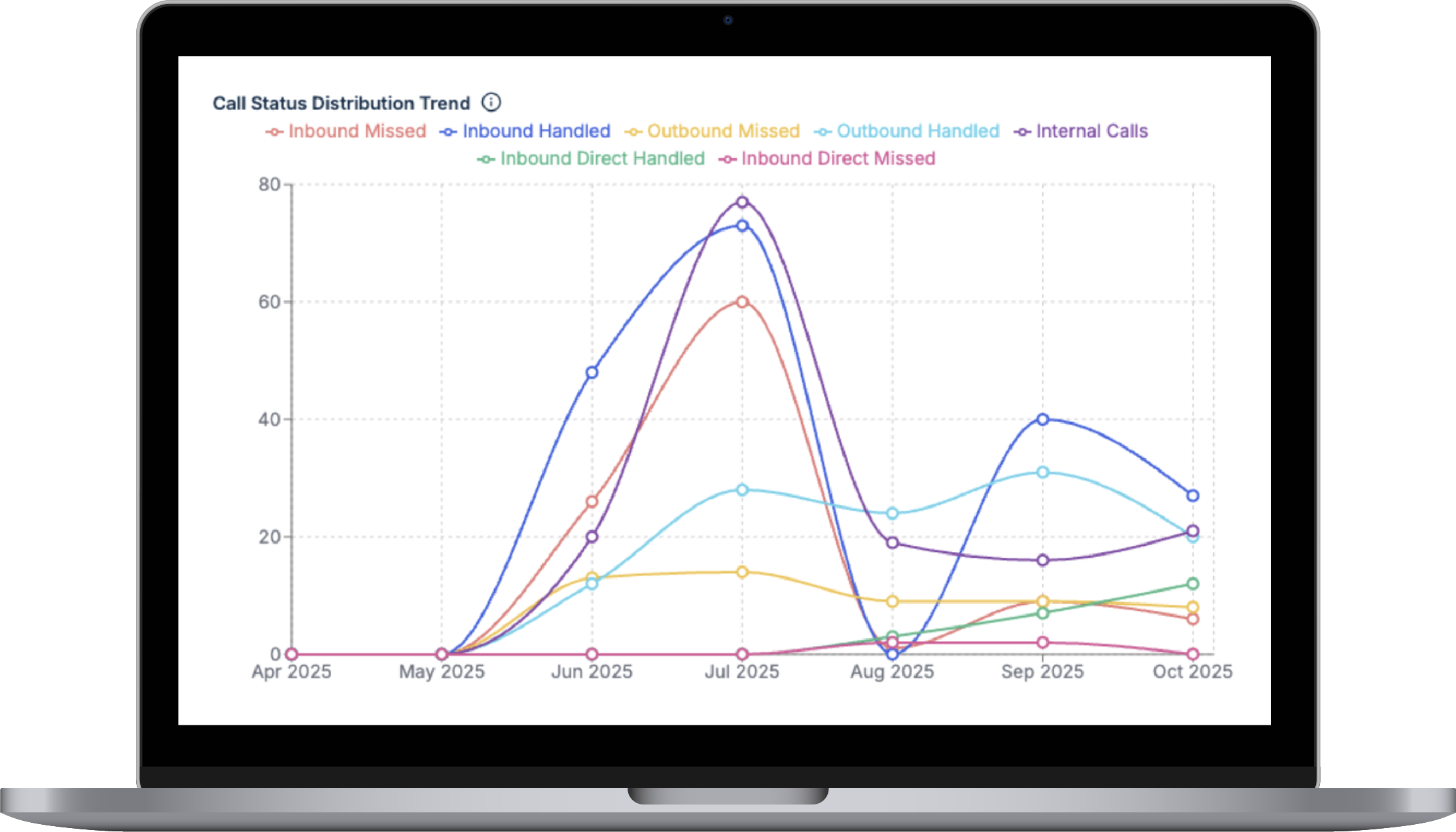
Tracks the types of calls handled and their duration, distinguishing between internal/external or inbound/outbound.
Adoption & license right-sizing indicators
Enables data to be shared with business intelligence platforms, with automated reports and alerts.
| Start | Direction | Status | Waiting |
|---|---|---|---|
| 11:45:17 | Inbound | Transferred | 00:00:05 |
| 11:53:51 | Outbound | Answered | - |
| 11:53:06 | Outbound | Answered | 00:01:38 |
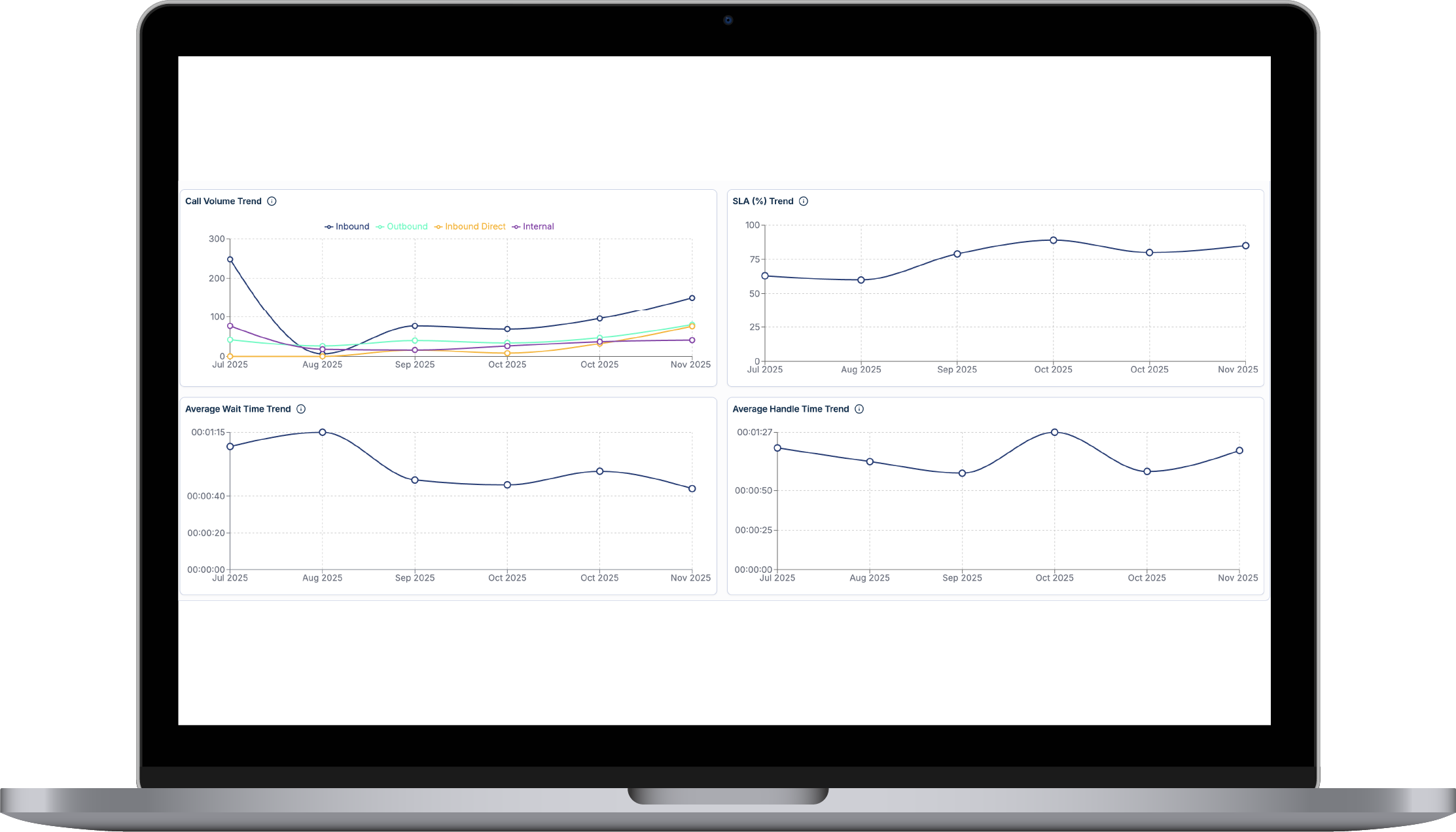
Displays historical trends to reveal busy periods, seasonal fluctuations, or effects of marketing campaigns.
Controls who can see or modify data and maintains audit logs for accountability.
TeamsCX connects real-time dashboards, historical analytics, global compliance, and workforce management into one Microsoft Teams Phone operating model. Next, explore Global compliance.
Monitor queues, service levels, and agent activity live inside Teams.
View capabilitySupport regional rollout, local numbering, and regulatory requirements.
View capabilityForecast demand, schedule agents, and track adherence in Teams Shifts.
View capabilityImport historical data and retain going forward.
Yes, via secure connectors.
Yes, consumption by department and cost centers.

Drop us a message: